Run your whole card business in one place.
Lay your cards out, snap one photo, and Lockstock matches every card, prices it off three sources and applies your buy rates. Then it scans and grades your stock, keeps your prices honest, runs your card show table, ships your orders and builds your website.
Every screen on this site is the real app, running a demo shop with made-up orders.
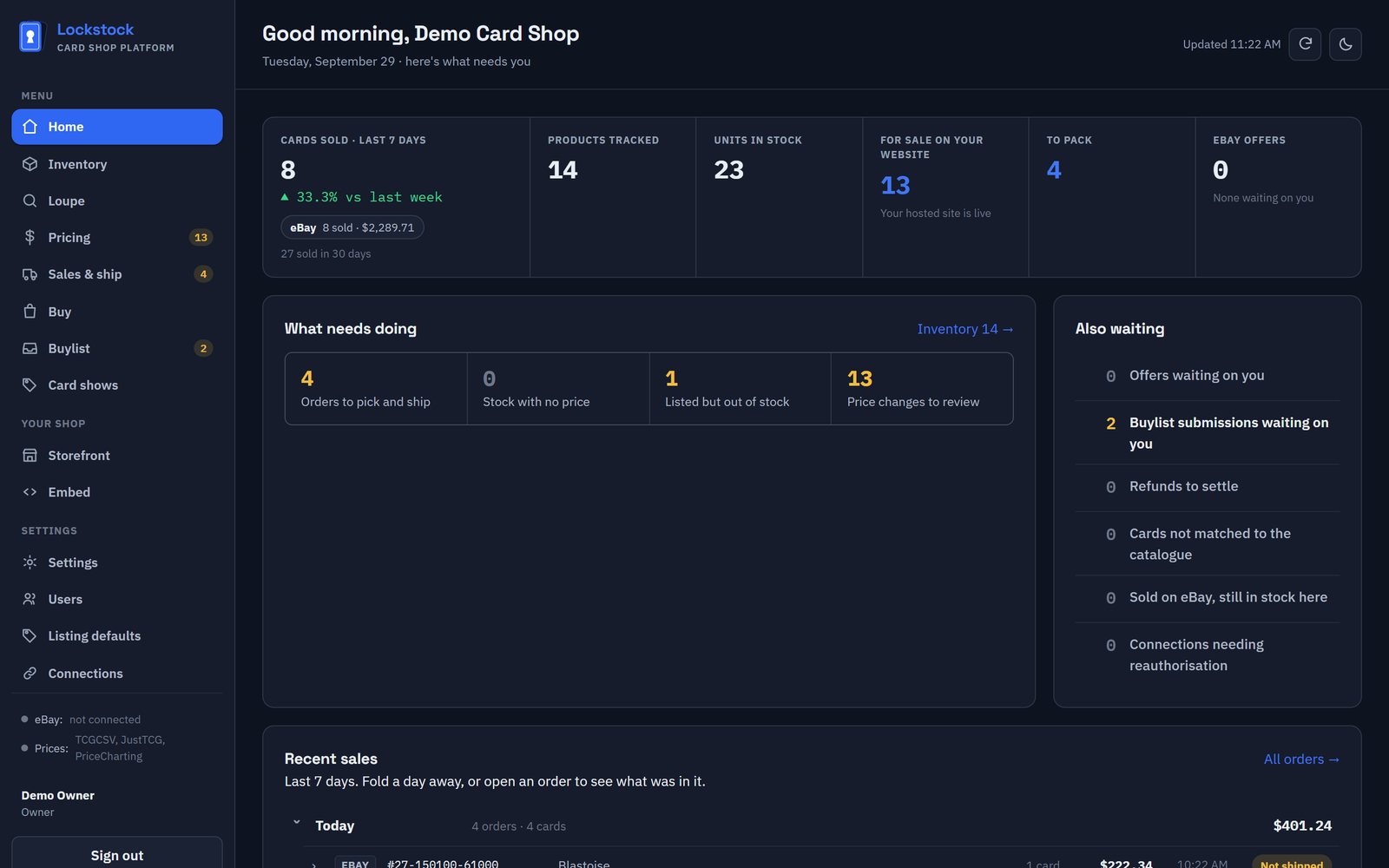
Every card gets typed in somewhere. Then somewhere else.
You read the card, write it down, list it, price it, carry it to a show and ship it, and each of those lives somewhere different. You're the thing holding it all together, and you're the thing that's tired at 1am. Lockstock puts it in one place.
Reprints, caught
Matched on set and collector number, not a fuzzy name search, so the cheap reprint never gets the expensive card's price.
Condition from the back
Whitening and edge wear live on the back of the card, so that's what gets graded, beside the front.
You stay in charge
Nothing goes into stock or onto a listing until you say so. Unsure reads are flagged, never guessed at.
Your floor is absolute
No rule, market move or overnight run will price a card below the minimum you set.
Your real eBay fees
Measured from your own settled orders, so "what can I pay" uses what eBay actually takes, not the headline rate.
You're the merchant
Website sales settle into your own Stripe account. Lockstock never holds your money.
From the counter to the parcel, in one app.
No spreadsheet, no five tabs, no guessing what a card is worth.
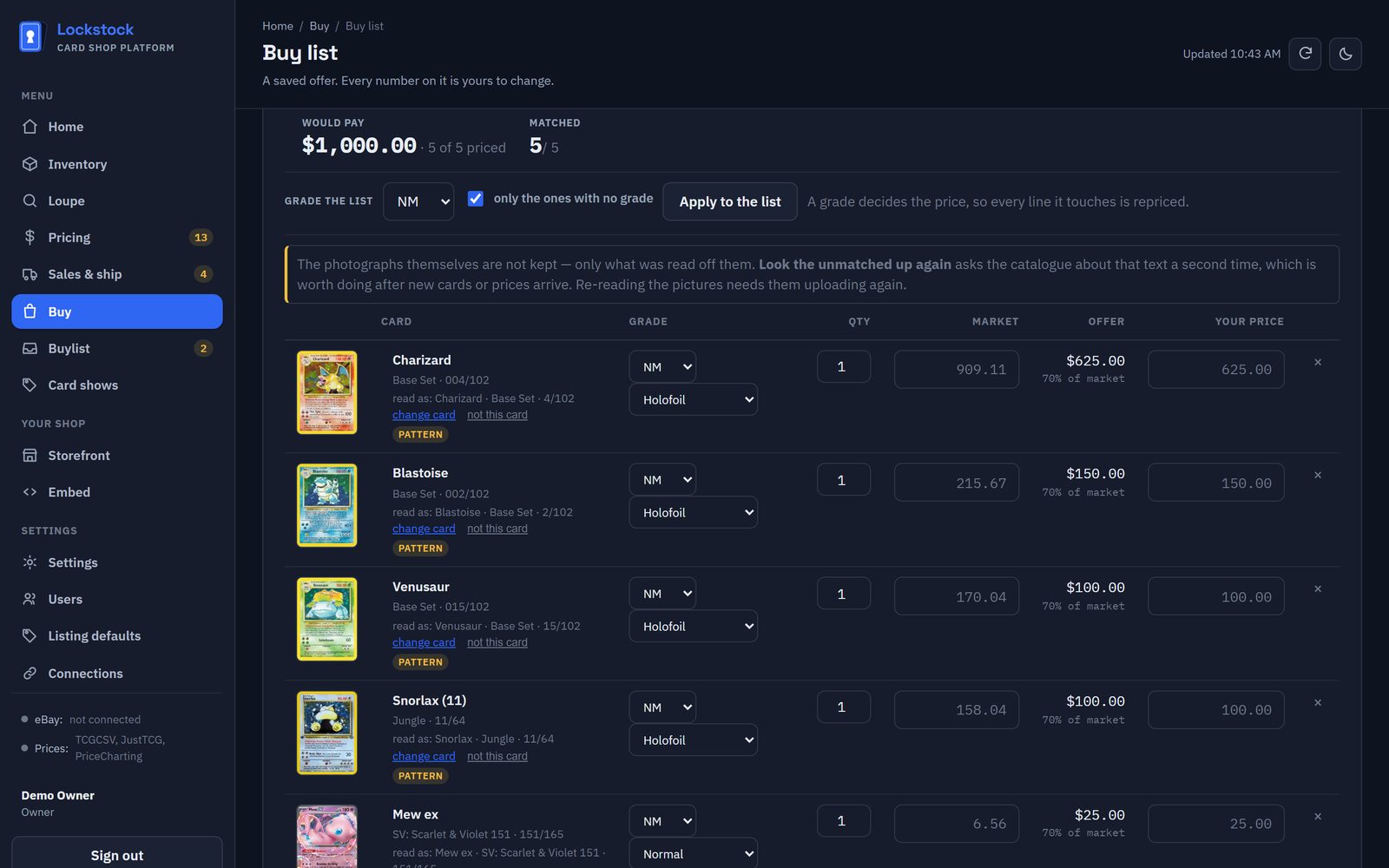
Know what to pay before they finish talking.
Lay the cards out and photograph them, or paste the seller's list. Every card is matched, valued at today's market and priced at your own buy rates.
- Rates by condition and by price band: 70% for Near Mint, 40% for cheap bulk, whatever you set.
- A minimum offer and rounding, so the numbers come out clean.
- Anything the photo couldn't read is cut out and put in front of you to name.
- Print an offer sheet for the person across the counter.
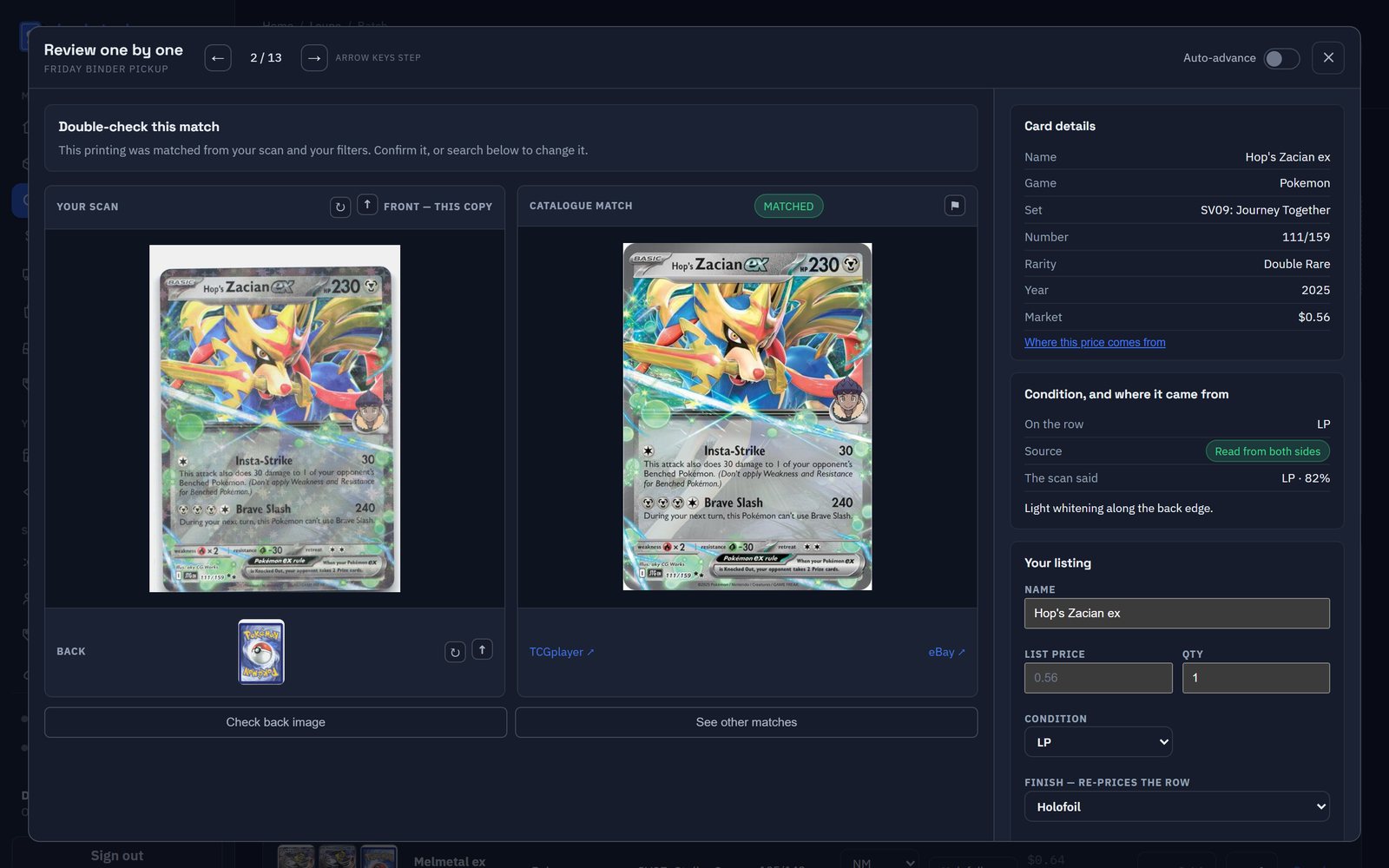
Scan a box. Get it graded, priced and in stock.
Loupe reads a scan or a tray photo, front and back, and grades the condition off both sides.
- Collector number, set symbol and printing read off the card.
- Condition read from both sides, with the reason written beside it.
- Review card by card with the arrow keys, then add the batch to inventory in one click.
- Your scans become your listing photos.
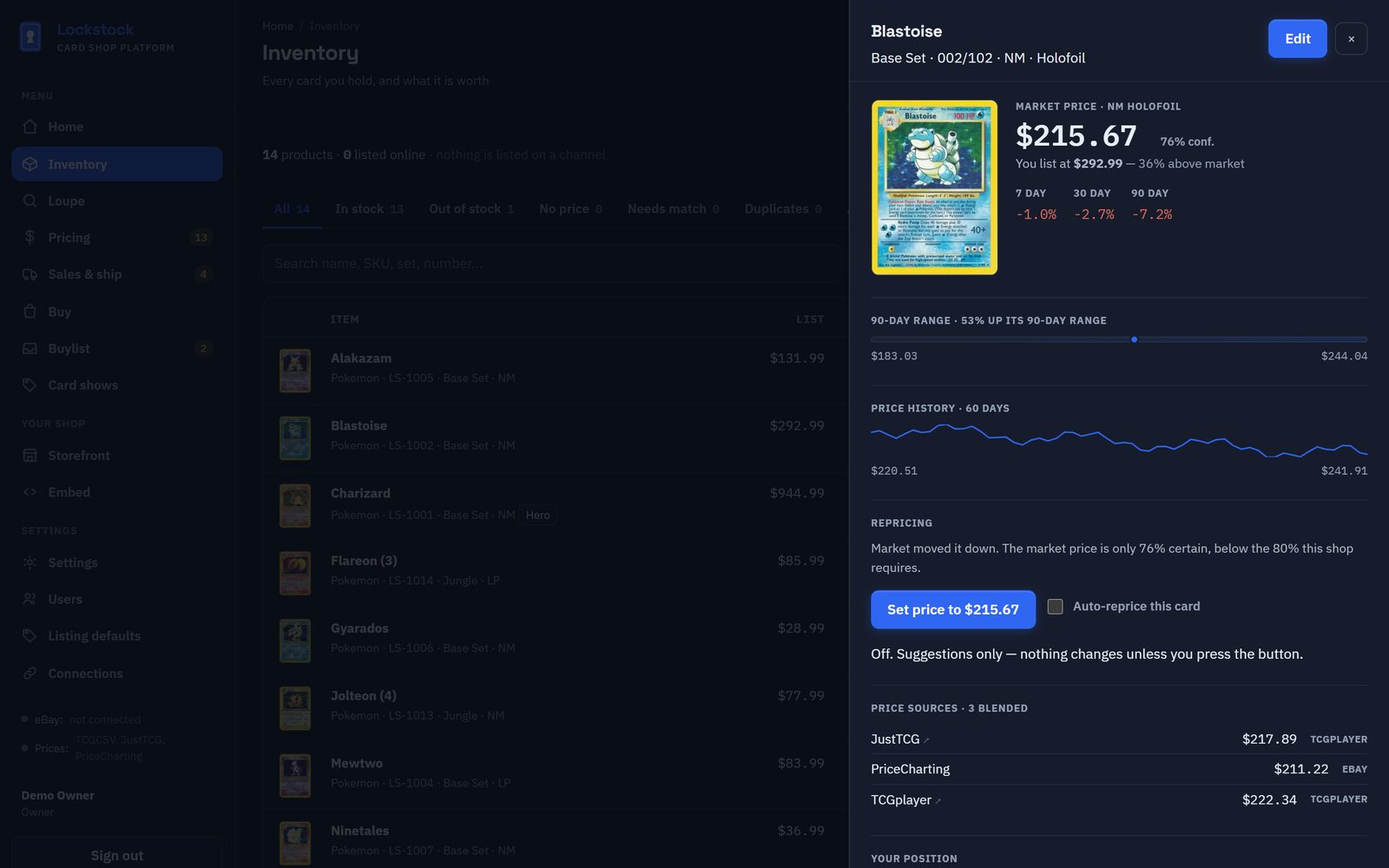
See where every price comes from.
TCGplayer, JustTCG and PriceCharting's eBay sales, shown separately and never averaged away, so you can see when they disagree.
- 90-day range, price history, and 7, 30 and 90-day movement.
- Repricing that asks before it acts: nothing big or unsure goes live without you.
- Push a new price straight to your eBay listing.
- What the sale leaves after eBay fees, postage and packaging.
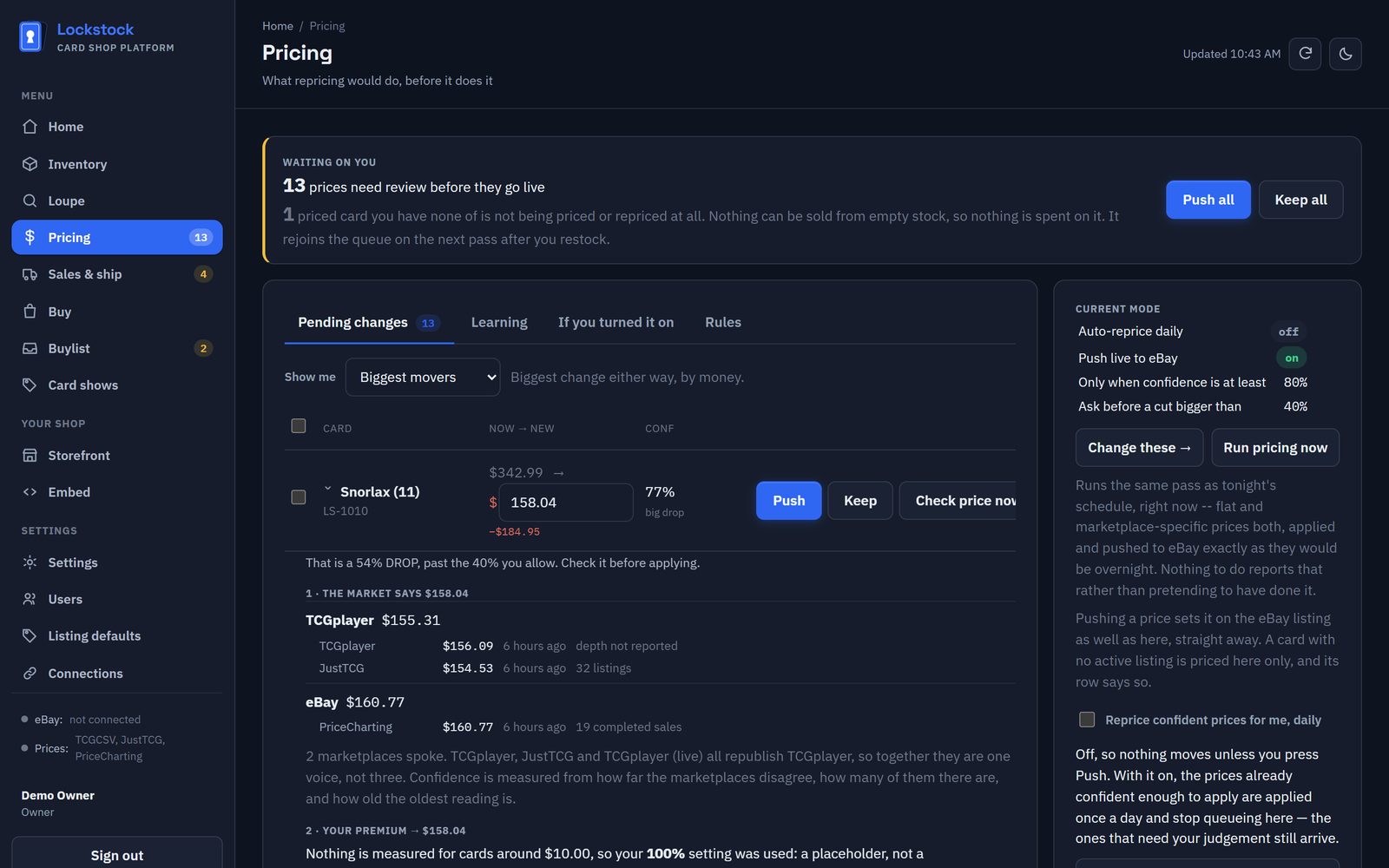
Every price change waits for your yes.
The review queue shows what repricing would do before it does it, and why.
- Open any suggestion to see the working: sources, your floor, rounding, and exactly why it stopped.
- Push or keep one at a time, or the whole page at once.
- Rules per marketplace, and limits on which cards the nightly pass may touch.
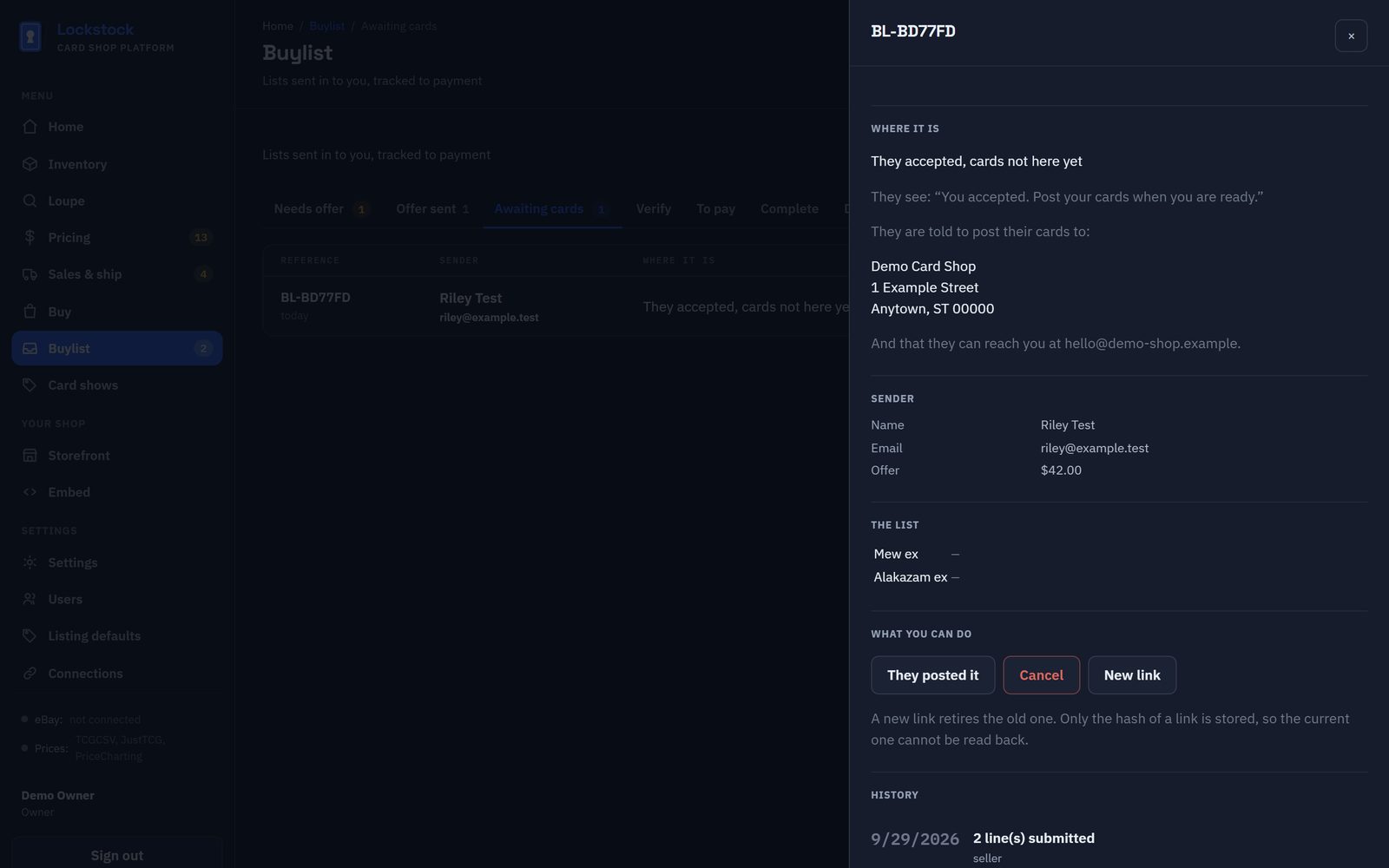
Lists sent in, tracked all the way to payment.
Sellers send lists from your website. You price them, they accept, they post, you check the cards, you pay.
- A private link for each seller, no account needed.
- You're emailed the moment a seller accepts, posts or calls it off.
- Money only moves once the cards are here and checked.
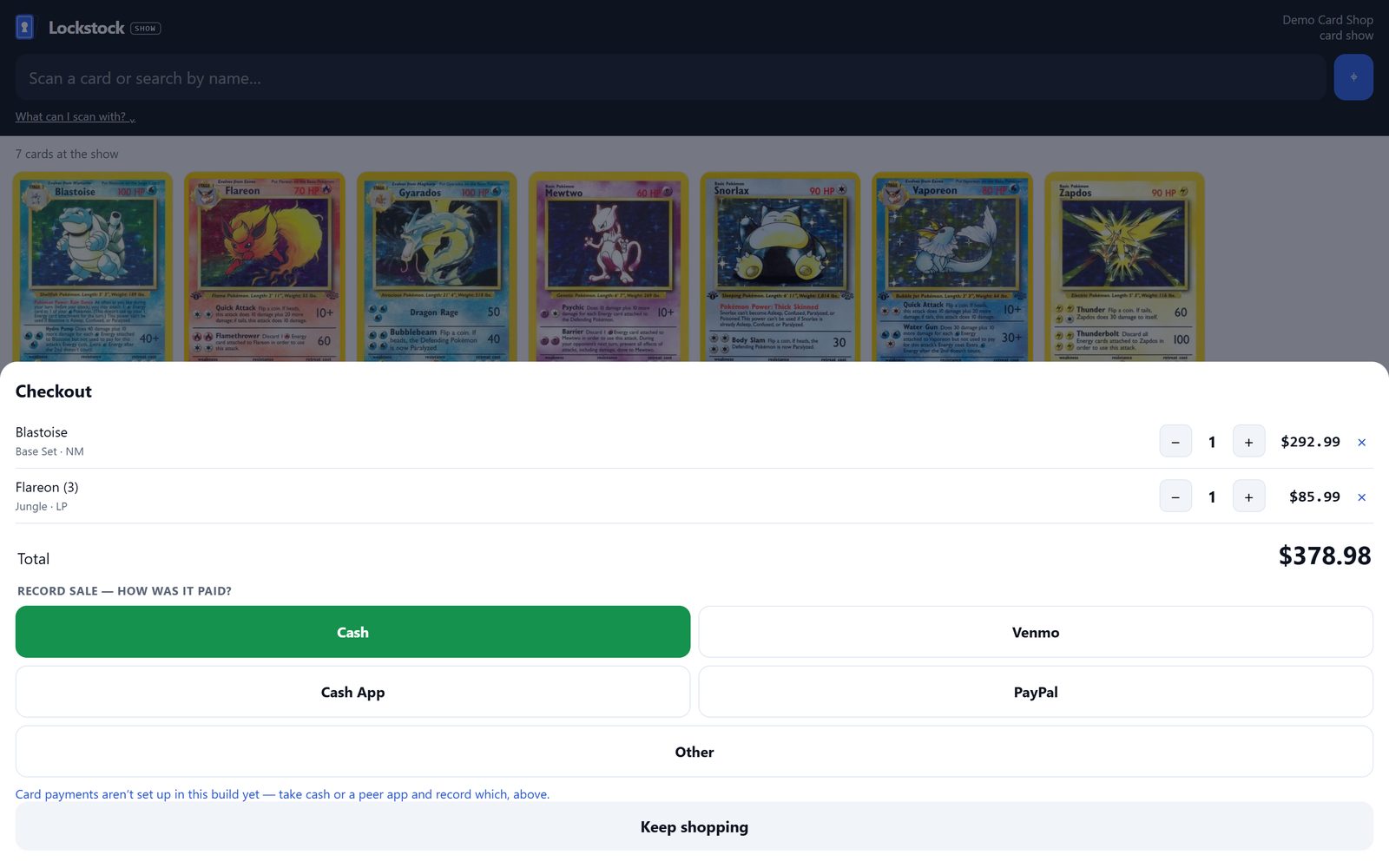
Ring up sales at the table.
A tablet register that only shows what you packed for the show.
- Scan a QR label or type a name; the camera works in every browser.
- Cash, Venmo, Cash App or PayPal, recorded with the sale.
- Stock goes down the moment you sell. Print QR labels for your whole box.
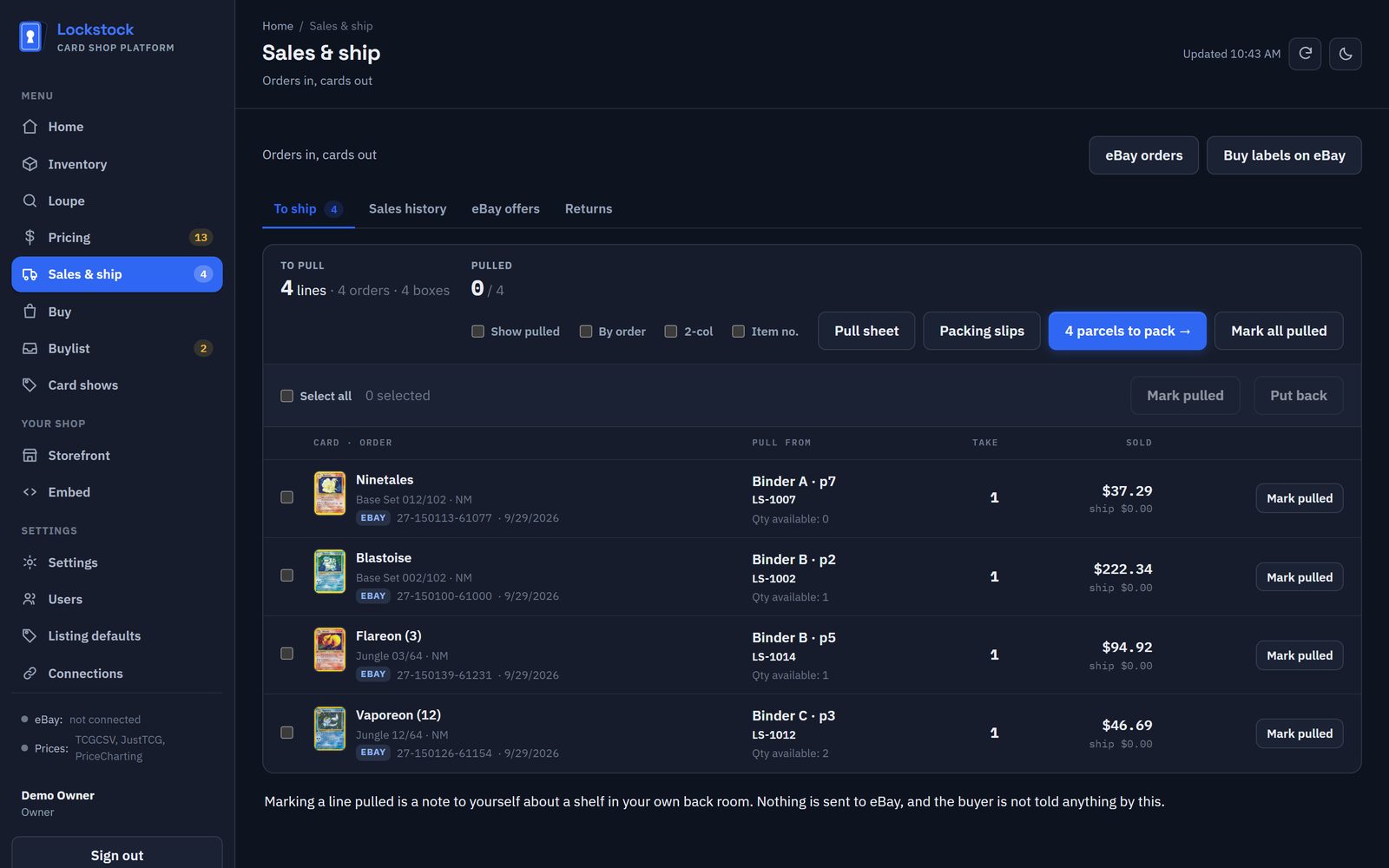
Pull, pack and post without hunting.
eBay orders come in on their own. The pull sheet walks your boxes in shelf order.
- Pack by order, one envelope at a time, with packing slips.
- Buy postage labels through your own Shippo account.
- Best Offers answered with the real profit in front of you.
- Sales history by week and by platform, with real eBay fees.
A real shop on the web, stocked from your inventory.
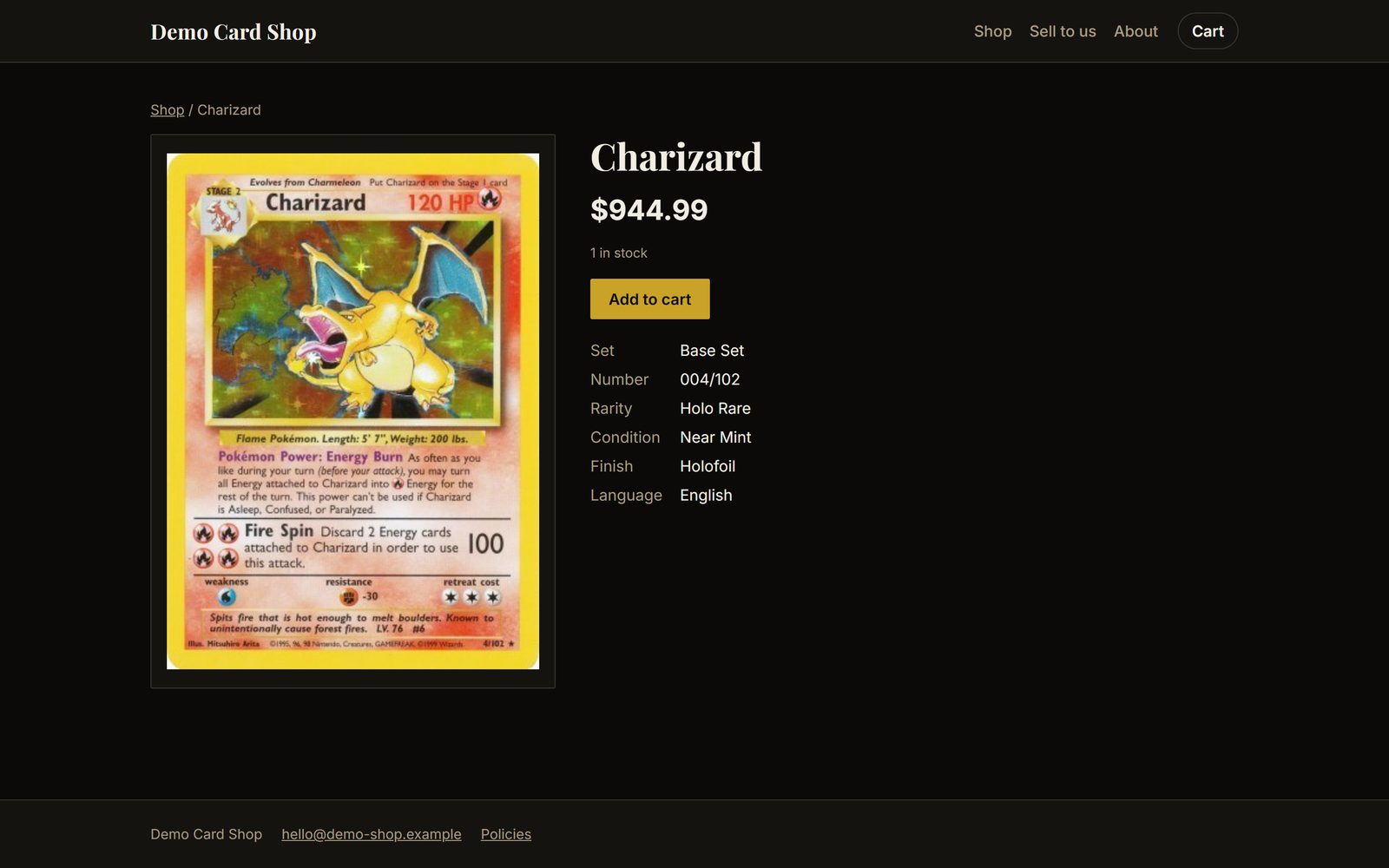
Pick one of five designs, set your colours and your words, and it's live, with a cart and checkout. Already have a website? Plug your stock and your buylist into it instead.
- Browse by game and set, a page for every card, your own photos.
- Checkout through your own Stripe account; money lands with you.
- "Sell to us" pages that feed straight into your buylist.
Live in an afternoon.
Connect eBay
Your live listings and your orders come in, matched to the right cards, with your real fees.
Scan what isn't listed
Run your boxes through Loupe, front and back. Every card comes back named, graded and priced.
Price, sell, ship
Approve prices, sell at shows and on your website, and pack orders from one pull sheet.
What we're building next.
Not in the app yet, and we'd rather say so than promise it. Beta users help decide the order.
One stock count, every channel
Sell a card anywhere and have every other listing drop or end automatically, so you never sell the same card twice.
More marketplaces, directly
Listing straight to CardTrader and other channels from Lockstock, beyond today's eBay connection and upload files.
Card payments at shows
A QR code on the register so a buyer pays by card on their own phone.
Market movers
What moved in the market this week, ranked by the dollars on the table rather than the percentage.
Free while it's in beta. Open to everyone who sells cards.
Use it for real, and tell us what breaks. Here's who we most want, and what we'd love you to throw at it.
Hundreds of listings
Connect your eBay store, import your listings and orders, and let us know where repricing and the pull sheet fall short.
A table most weekends
Run the register on a tablet at a real show: QR labels, cash and Venmo, stock that stays right.
Shoeboxes and binders
Photograph what walks in and check the offers against what you'd really pay.
The hard cards
WOTC-era print runs, 1st Edition vs Unlimited, Japanese sets with no numbers. Show us what it gets wrong.
A counter and a back room
From one person to a team, a hosted website, buylists and staff accounts.
What you get
- Every feature, free, for the length of the beta.
- A direct line to the people building it; your bug reports get read the same day.
- Your data stays yours: export everything, any time.
What games does it cover?
The catalogue follows TCGplayer's: Pokémon (English and Japanese), Magic, Yu-Gi-Oh!, Lorcana, One Piece and many more. Pricing is strongest where the sources are.
Does it list on TCGplayer for me?
Not by API. TCGplayer isn't granting new API access, so Lockstock writes a ready-to-upload TCGplayer file instead. eBay is connected directly.
What does it cost after the beta?
Plans are priced by how many cards you scan a month. We'll tell every beta user the final prices before anything is charged. See pricing.