Everything it does, on the real screens.
Every picture here is the app itself, running a demo shop. Nothing is a mock-up.
Buying
The counter, where someone is standing in front of you with a shoebox. Nothing is saved unless you want it to be.
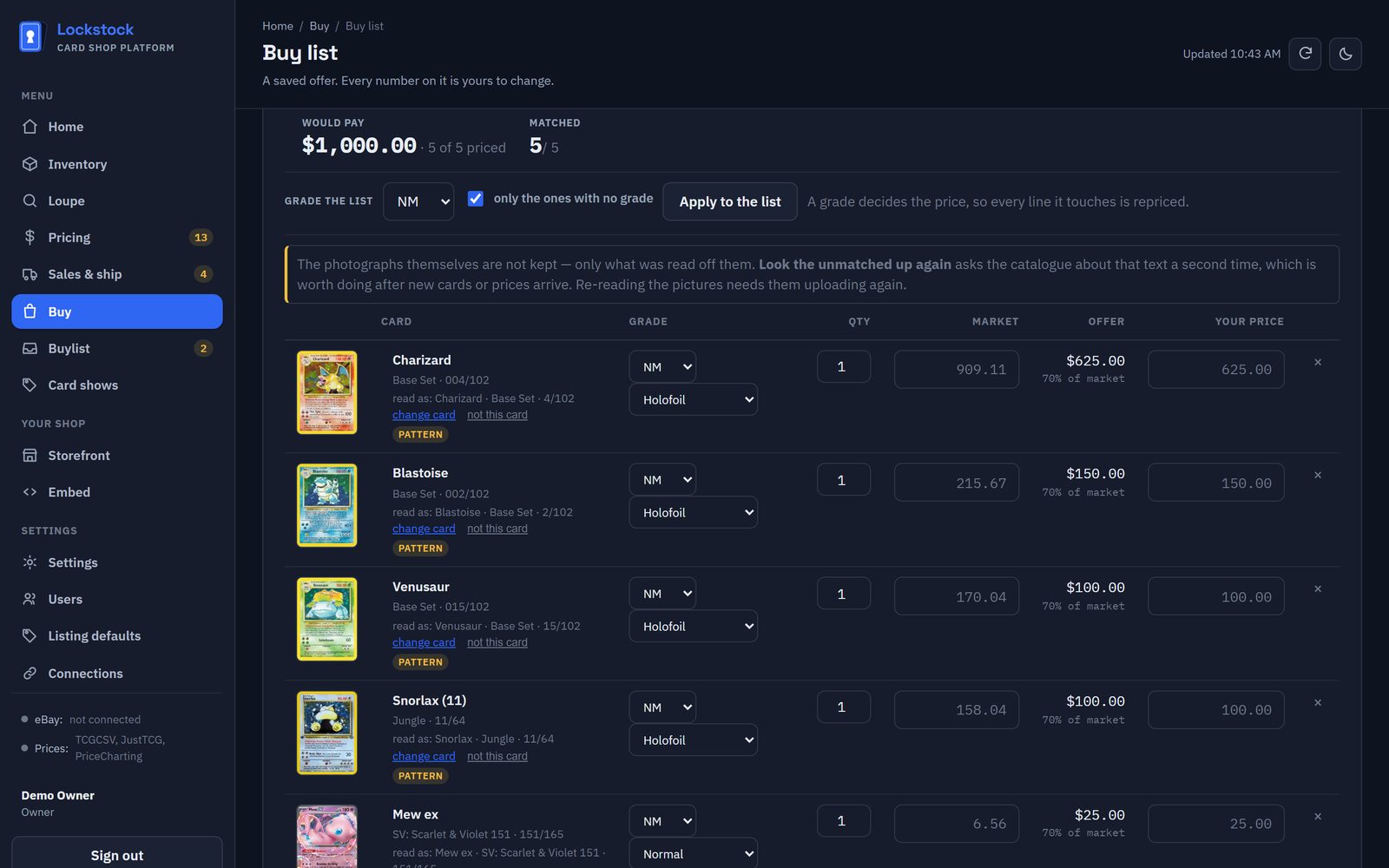
Photos in, offer out
Upload up to twenty photos of binder pages or cards laid out in a grid on the table, not overlapping. Every card is read, matched and priced.
Paste or upload a list
Type it, paste it, or upload a spreadsheet. Grades, graded slabs and "Japanese" are read from the line.
Your buy rates
By condition and by price band, with a minimum offer and rounding. No rate for a grade means no offer, never a guess.
Nothing hidden
A card that couldn't be matched is cut out of the photo and put in front of you. A 1st Edition or Unlimited print is asked, not assumed.
Offer sheet
Print what you'll pay per card for the seller, without the market figure beside it.
Save and come back
Keep a list, reprice it at tomorrow's market, fold duplicates into one line.
Scanning & grading (Loupe)
For your own stock. A flatbed scan front and back, or a tray photo of many cards at once.
The hard part of card software isn't reading a name. It's telling this Charizard from the reprints that look identical at a glance. Lockstock matches on set and collector number against a catalogue of about 368,000 cards across 26 games, so a 1999 print and a 2023 reprint never share a price.
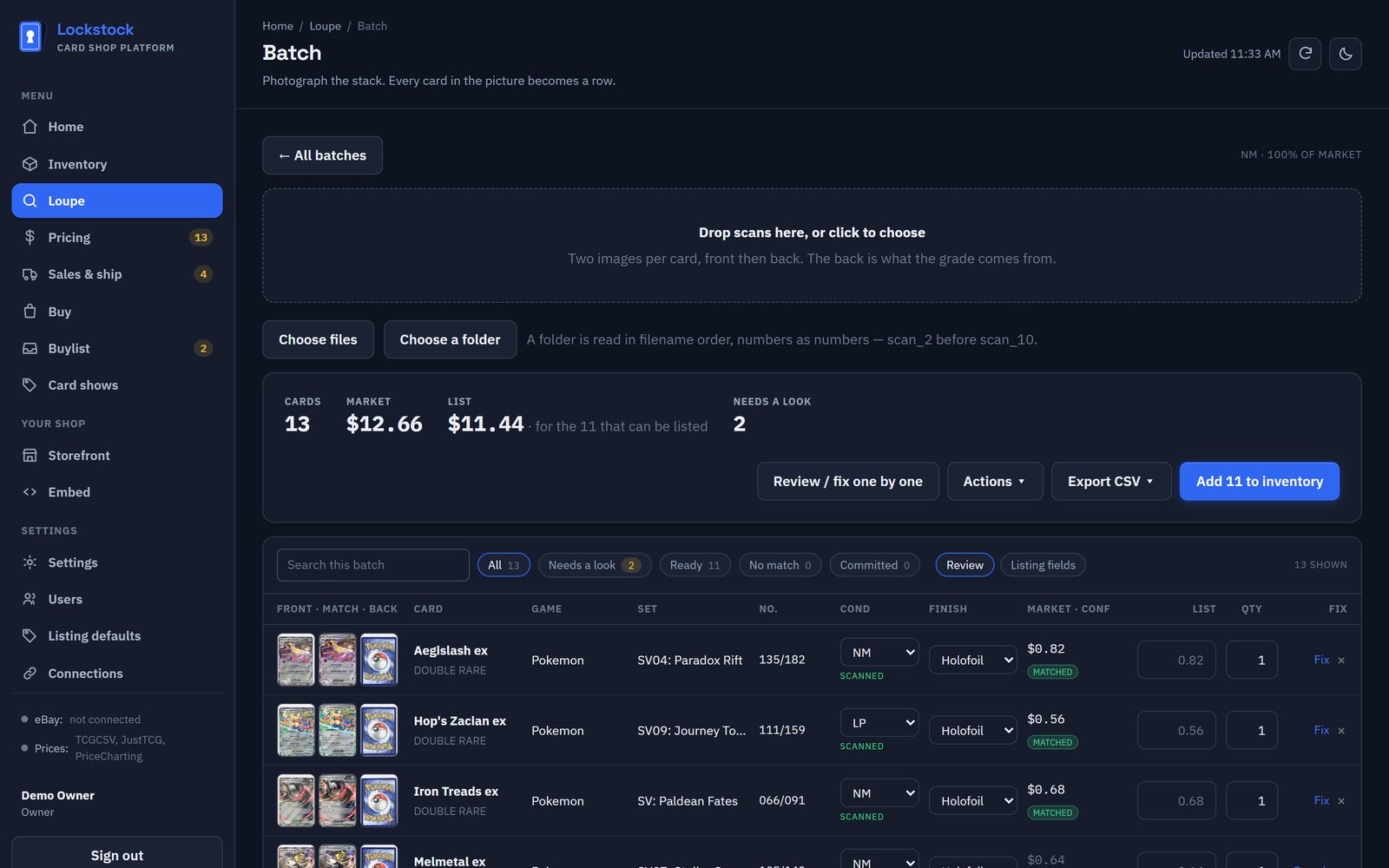
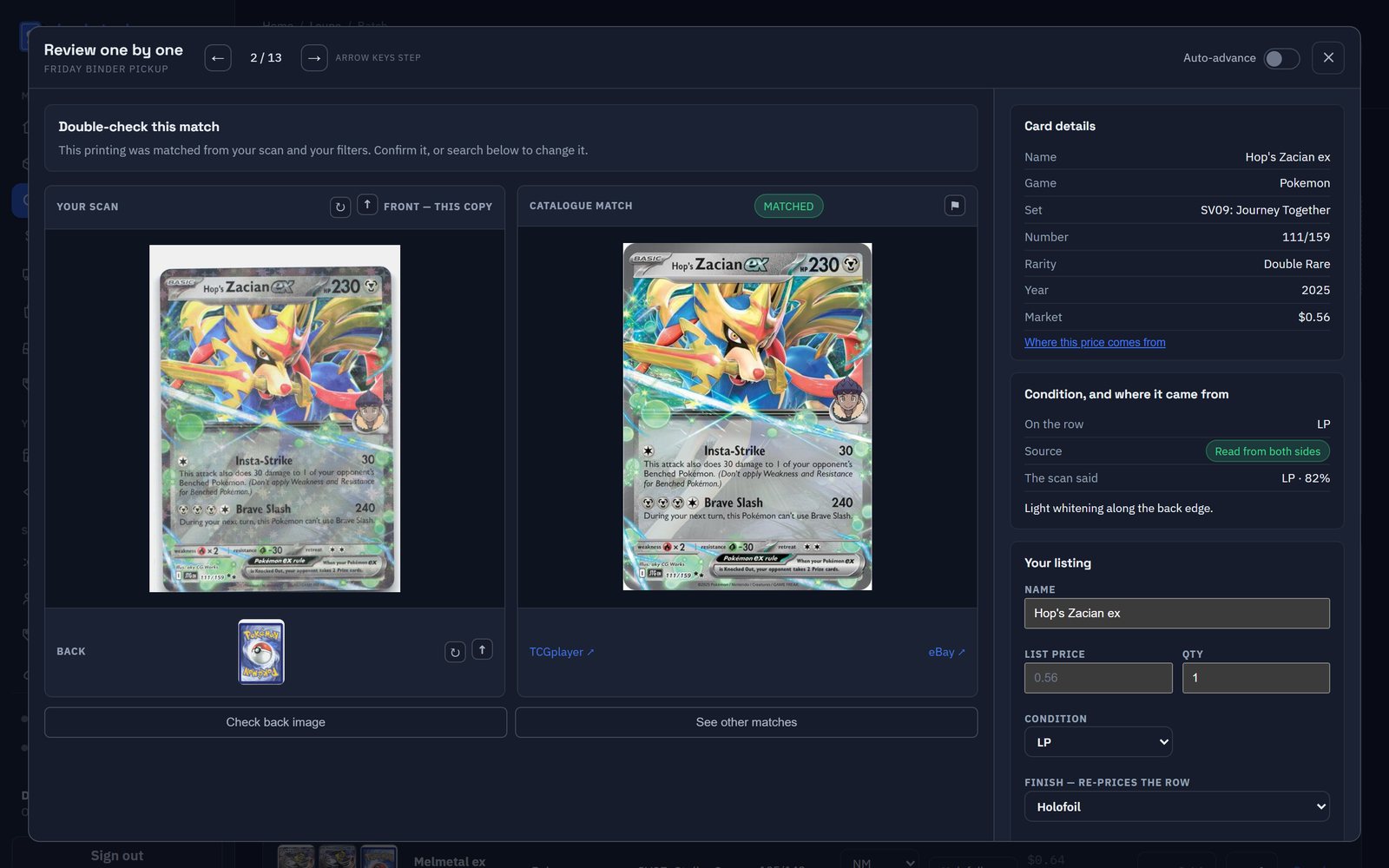
Reads what's printed
Collector number, the printed set code, set symbol and rarity mark. Finish: normal, holo, reverse or etched.
Grades from both sides
Whitening, scratches, centering and creases, read off the front and the back, with the reason written down.
Review one by one
Arrow keys through the batch: right card, right grade, right price. Every field saves as you go.
Your scans are the listing photos
Front and back stored and used on your listings, not a stock photo of someone else's copy.
Batch tools
Match market, round up, apply a pricing rule set, combine duplicates, trim titles, export per channel.
Japanese cards
Japanese sets, including the vintage ones that print no number, matched by set and name.
Flagged, not guessed
Every card is marked matched or needs a look, and a "Needs a look" tab collects the ones to check.
Front-only when you're in a hurry
Paired front and back for grading, or fronts only when you're moving fast and setting one grade for the whole batch.
Nothing committed until you say
Fix any line in place, then add the batch to inventory in one click, or export it as a worksheet.
Inventory
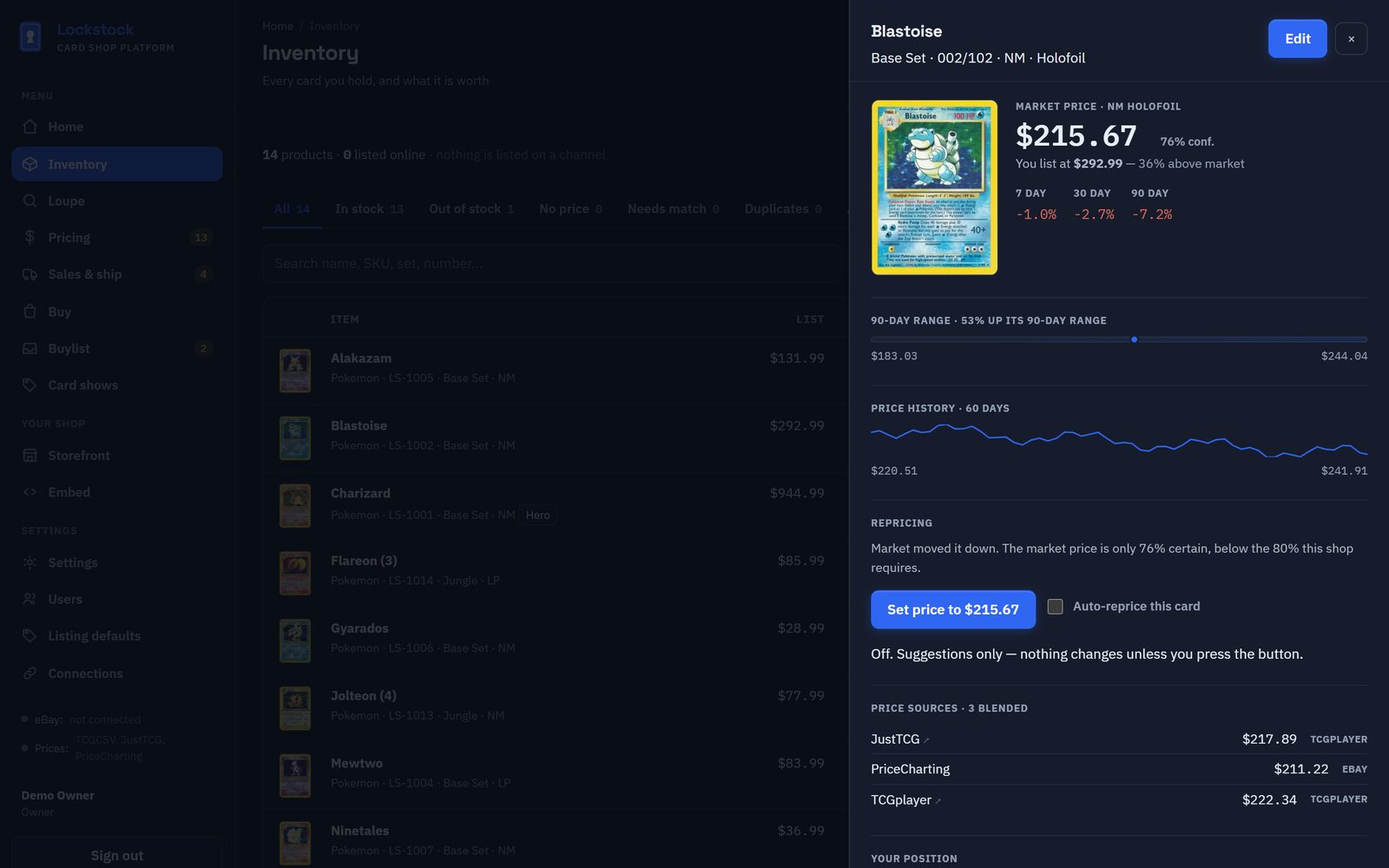
Every card you hold, with what it's worth and where it is.
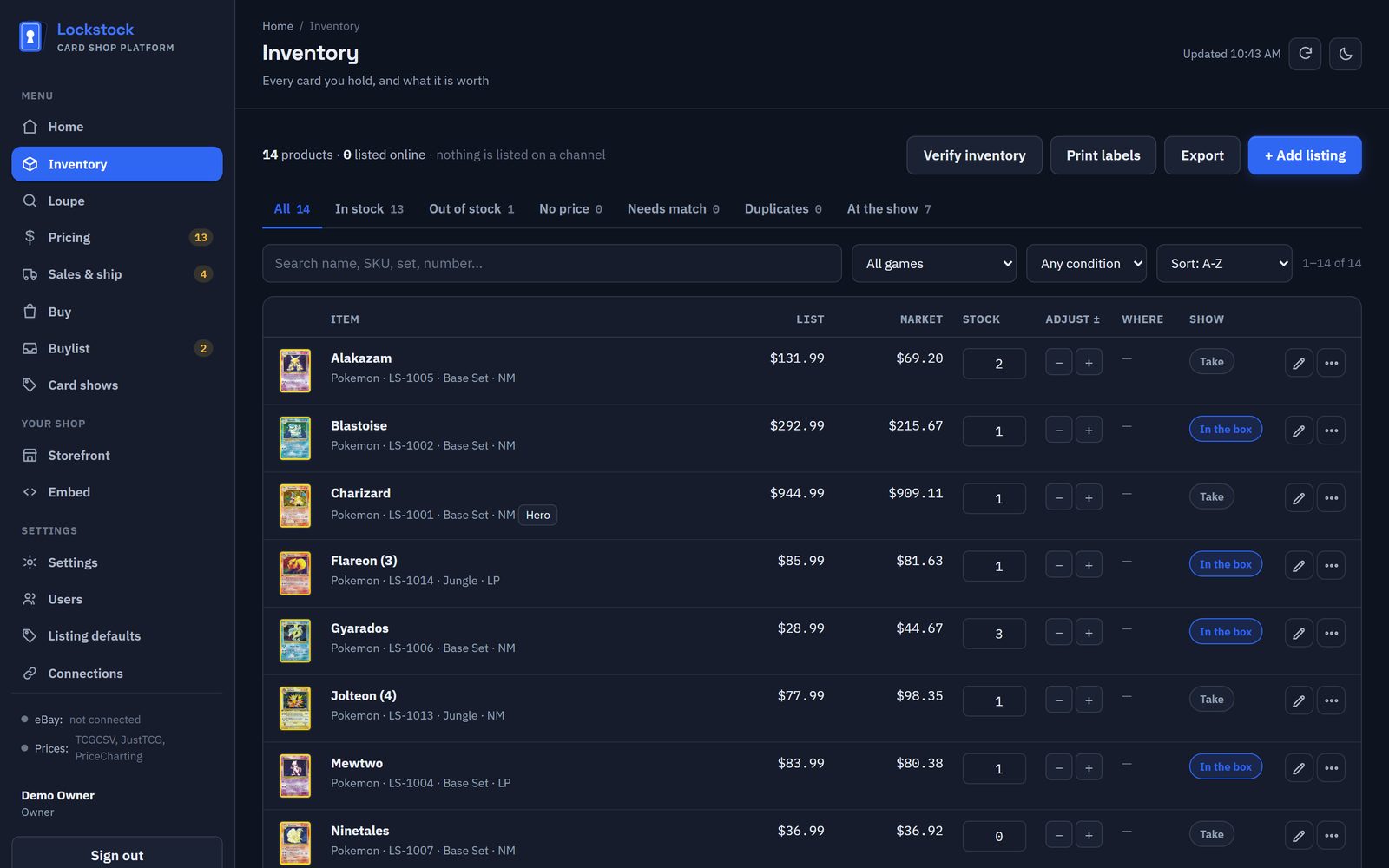
Search as you type
Name, SKU, set, number, even rarity: "Blastoise illustration rare" works.
Your eBay listings, imported
Connect eBay and your listings come in as stock, matched to the right cards.
Merge and clean up
Two lines for one card? Merge them, with the listing and sales history moved across.
Export to every channel
Ready-to-upload files for TCGplayer, eBay File Exchange, Shopify and Square.
Delete everywhere
Delete a card and choose to end its eBay listing too, in the same step.
Labels
Print QR labels for any shelf or box, on standard Avery sheets.
Pricing & repricing
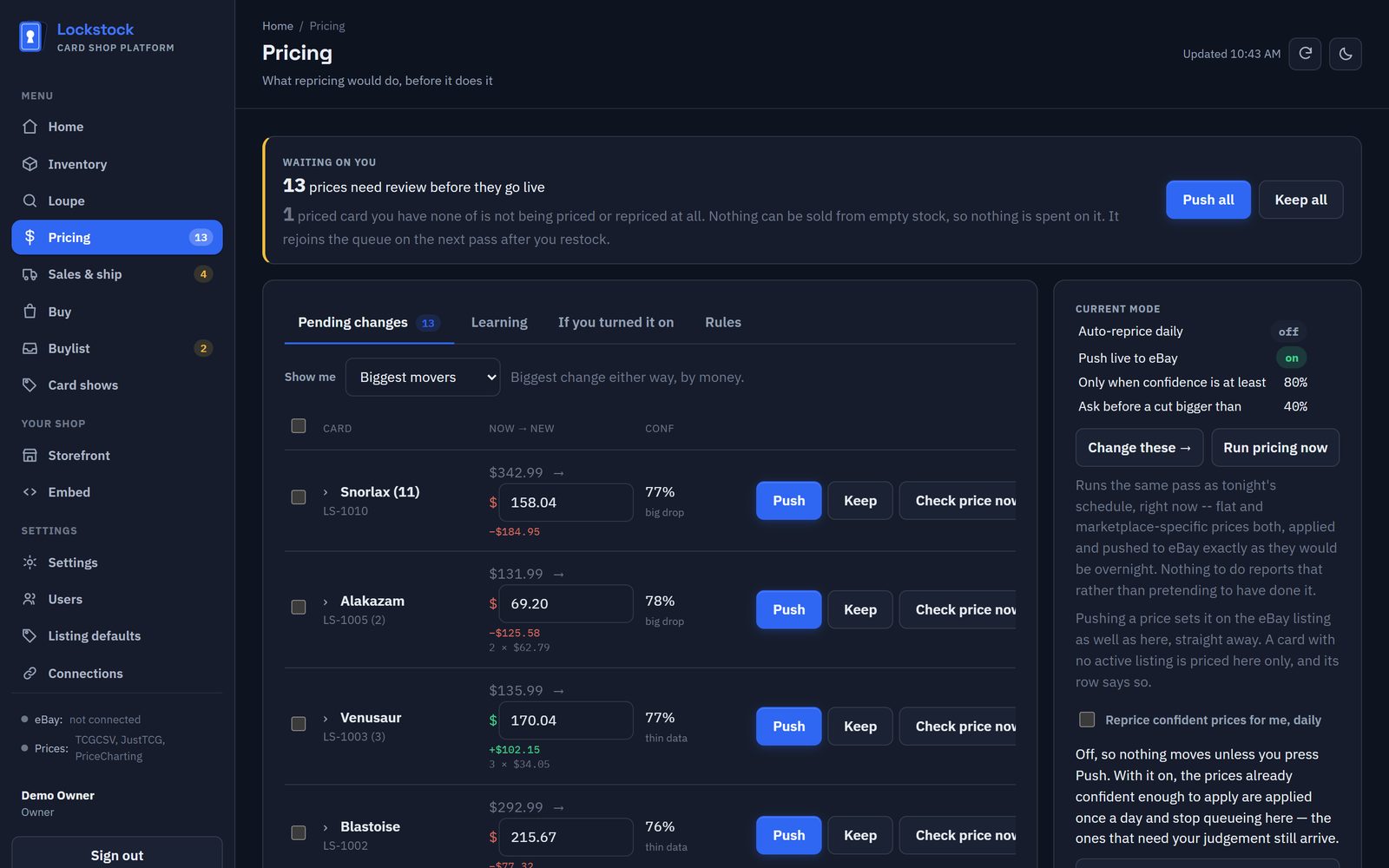
Three sources, shown separately, and a queue that asks before anything big changes.
Three sources
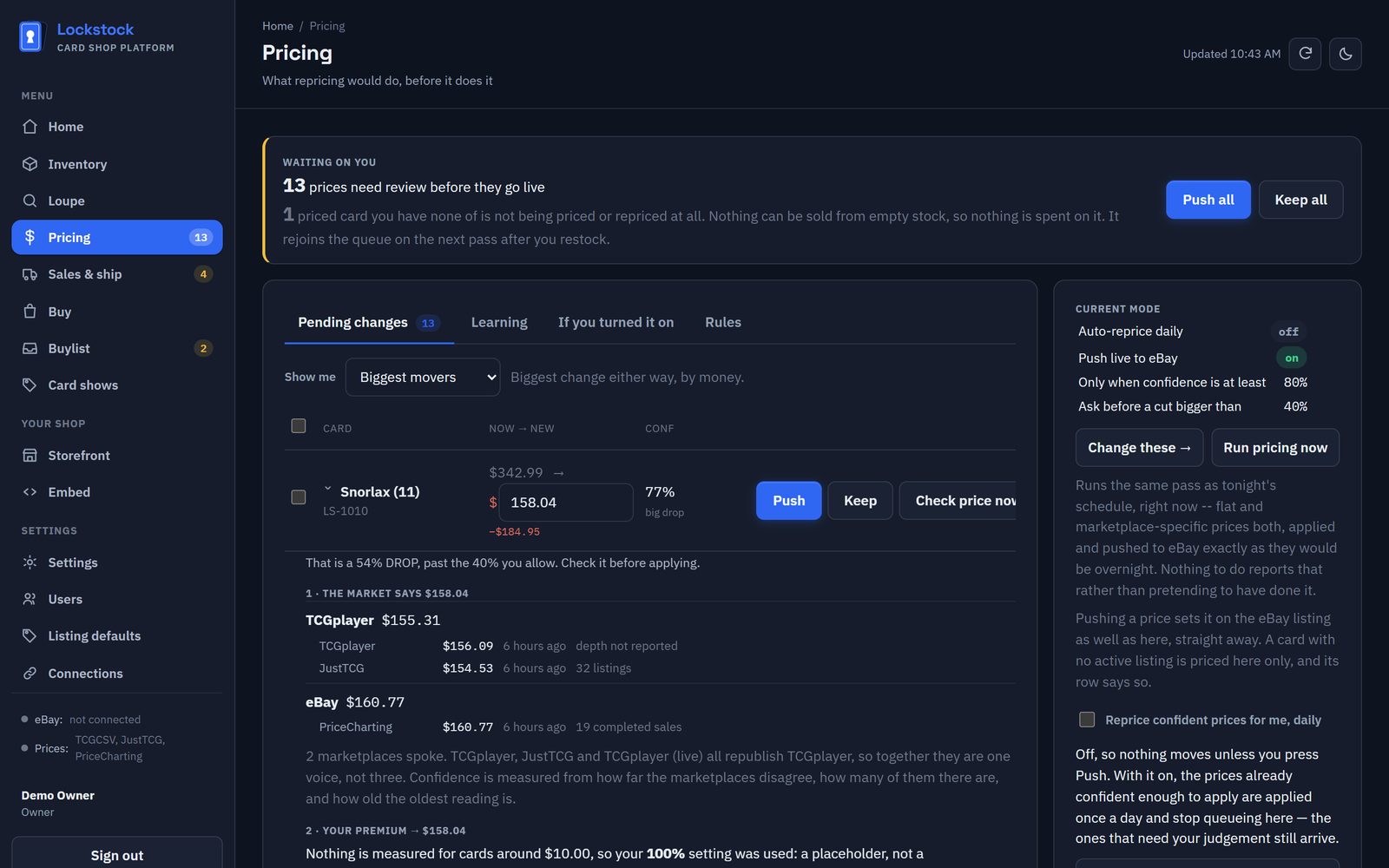
TCGplayer, JustTCG (by condition) and PriceCharting's completed eBay sales. When they disagree, you see it.
Show the working
Every suggestion opens to show the sources, your premium, your floor and ceiling, rounding, and why it stopped.
Safe automatic repricing
Off until you turn it on. A move past your cap, or on thin data, waits for you.
Straight to eBay
Push a new price to the live eBay listing, one card or the whole queue.
Rule sets per marketplace
Price ladders by value, and limits on which sets, rarities and conditions the nightly pass may touch.
Raise to your minimum
Change your minimum price and raise every card below it, on eBay too.
Played cards priced properly
Where a source prices LP, MP or HP directly it's used; otherwise the played price comes from a ladder measured on thousands of real card pairs, marked as an estimate.
Works while you sleep
Repricing runs every night on our servers, after the day's prices are in. Off by default: you turn it on when you trust it.
Confidence, not guesswork
Every price carries a confidence score. Where sources agree it's high; where only one had an opinion it's low, and low ones wait for you.
It keeps score
A Learning tab counts how often you push or keep each kind of suggestion, so you can see how far to trust it.
Your floor is absolute
No rule, market move or overnight run prices a card below your minimum.
Buylists
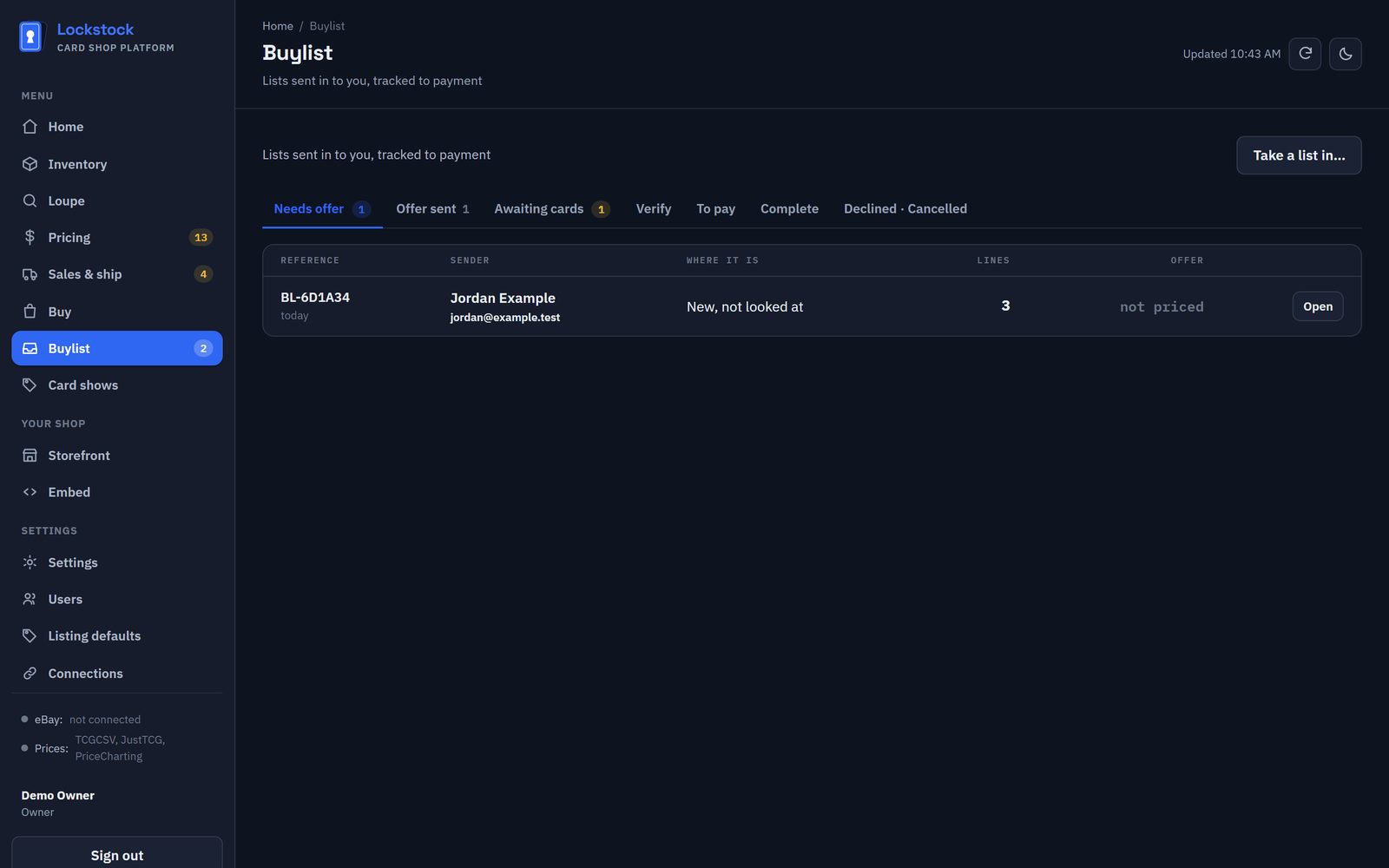
Lists sent in from your website, email or the phone, tracked from the first look to payment.
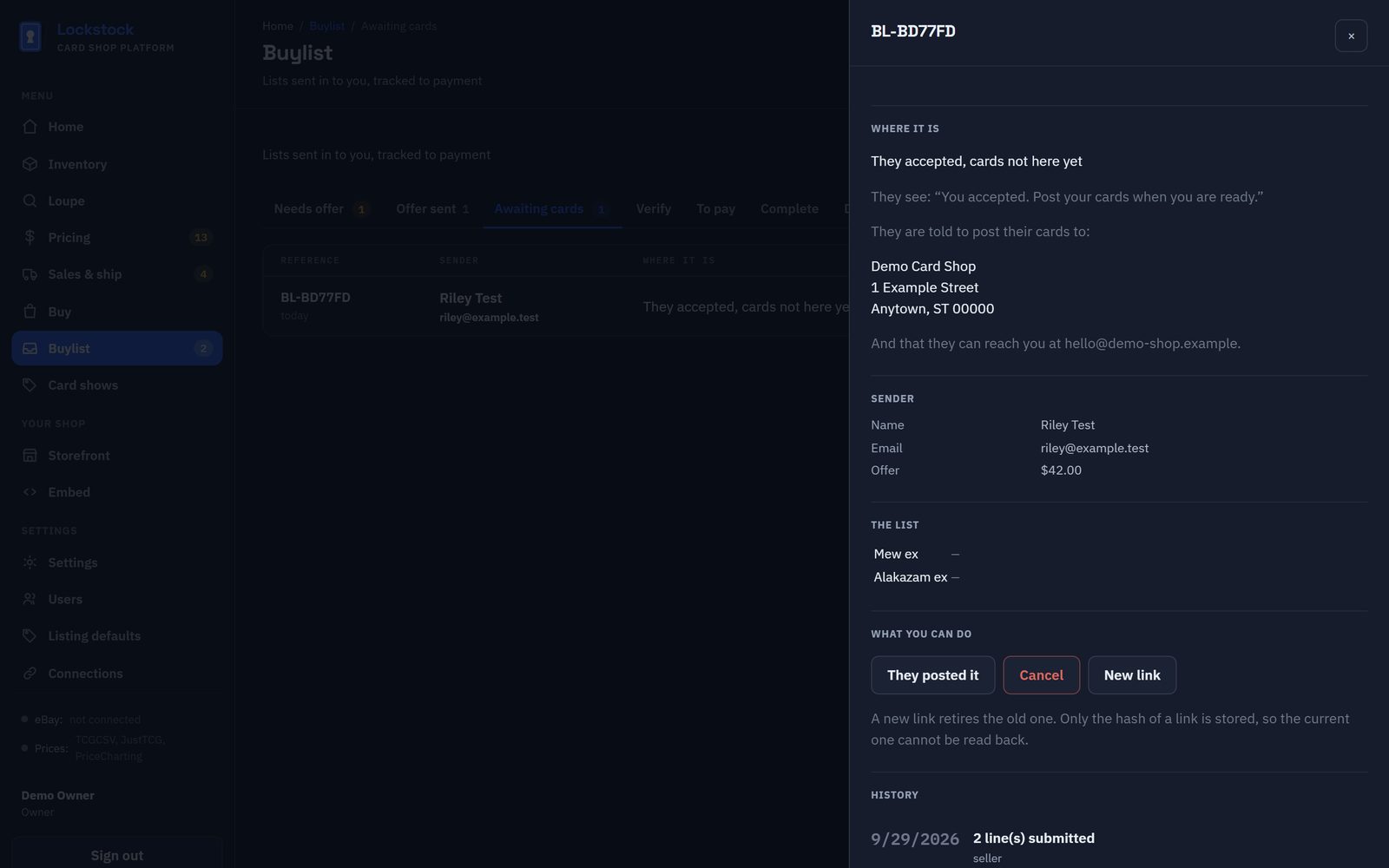
Seven clear stages
Needs offer, offer sent, awaiting cards, verify, to pay, complete, declined.
No account for the seller
Each seller gets a private link to follow their list, accept, post, or call it off.
You're told
An email the moment a seller sends, accepts, declines, posts or cancels.
A "sell to us" page
Sellers submit a list from your website with a ready-made spreadsheet template, graded slabs included.
Accepting isn't paying
Money is only marked to pay once the cards have arrived and you've checked them.
Phone-ins too
Take a list in by hand from a call or an email and it joins the same queue.
Card shows
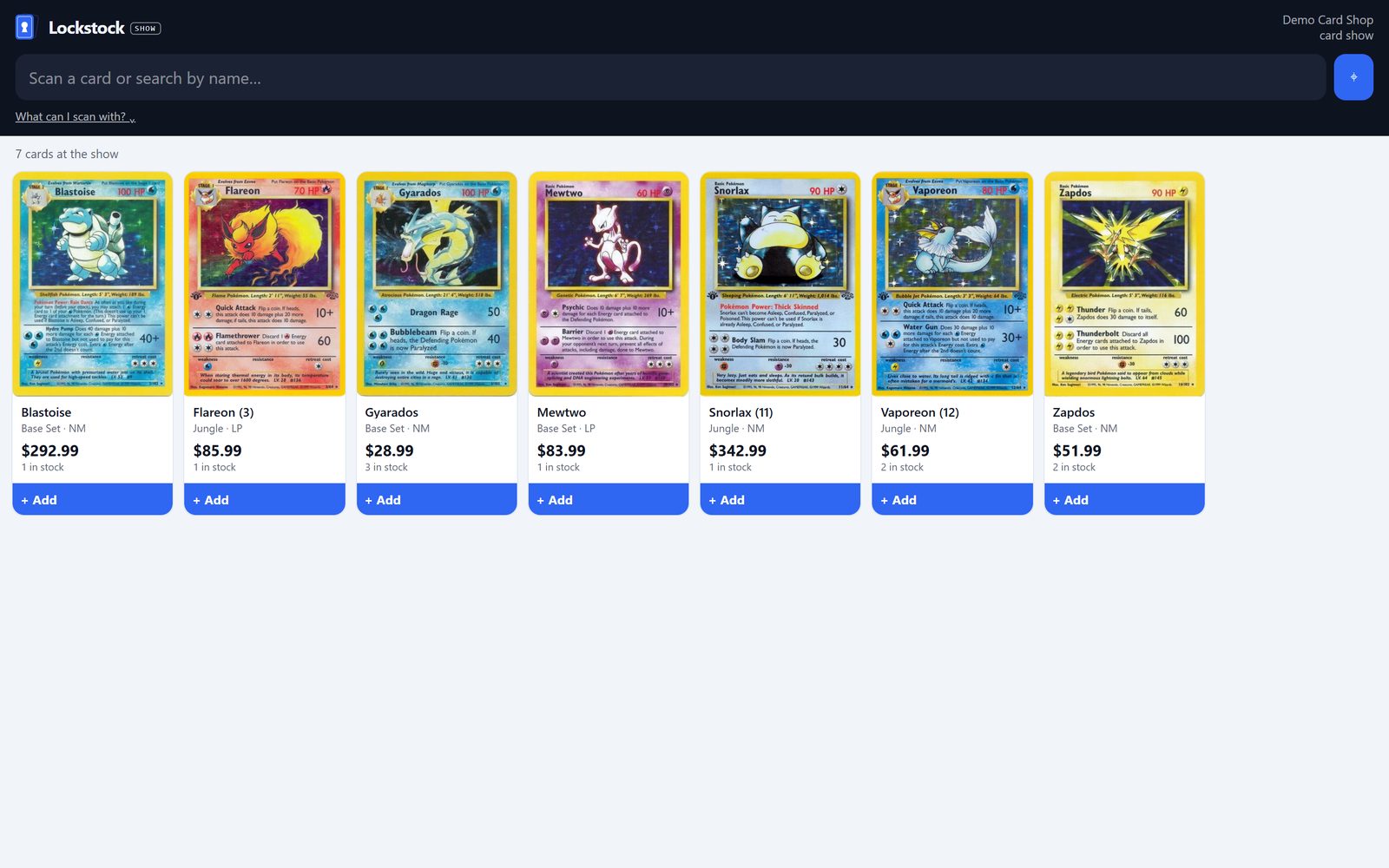
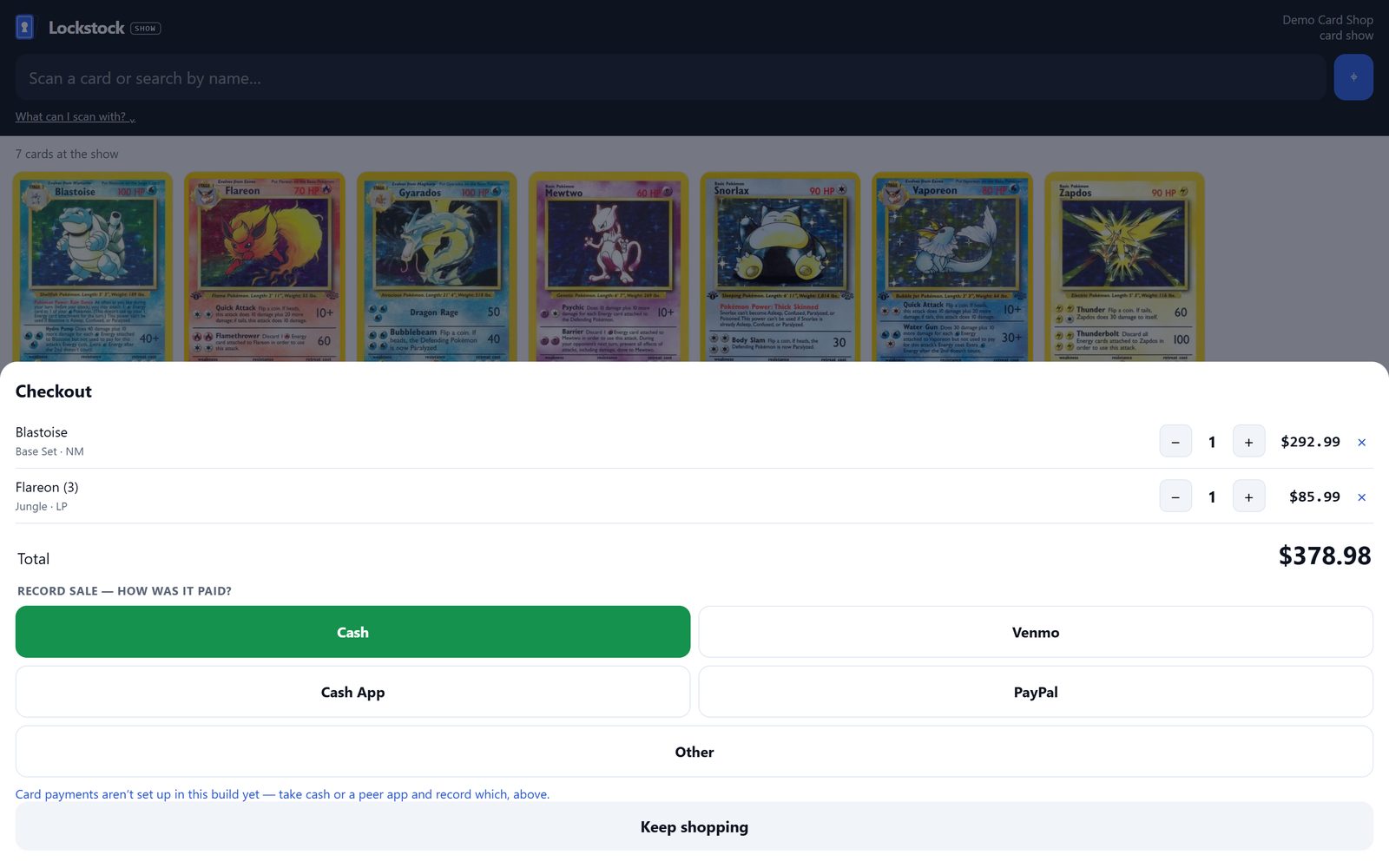
A register for the table, on any tablet or phone.
Only what you brought
Tag cards "at the show" as you pack the box; the register shows those and nothing else.
Scan or search
A Bluetooth scanner or the camera reads your QR labels; the whole box loads once, so bad wifi doesn't stop you.
Paid how
Cash, Venmo, Cash App, PayPal or other, recorded on every sale.
QR price labels
Print labels for the cards you're bringing on standard Avery sheets; scan one at the table and the card pops into the cart.
Stock drops as you sell
Every sale at the table takes the card out of your Lockstock stock straight away.
Show totals
What you sold, how it was paid, and what's left in the box, for the day.
Orders & shipping
From "it sold" to "it's in the post".
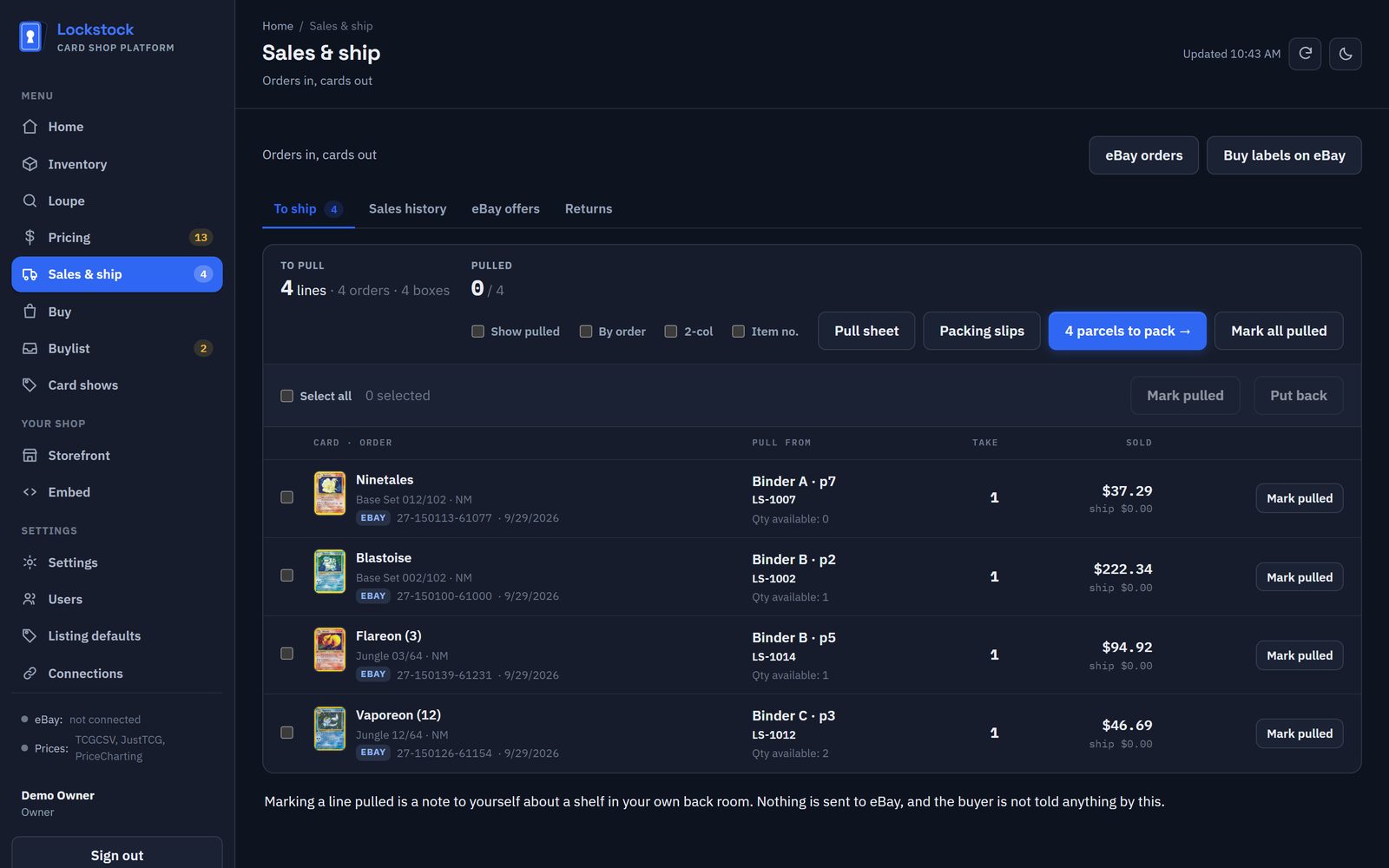
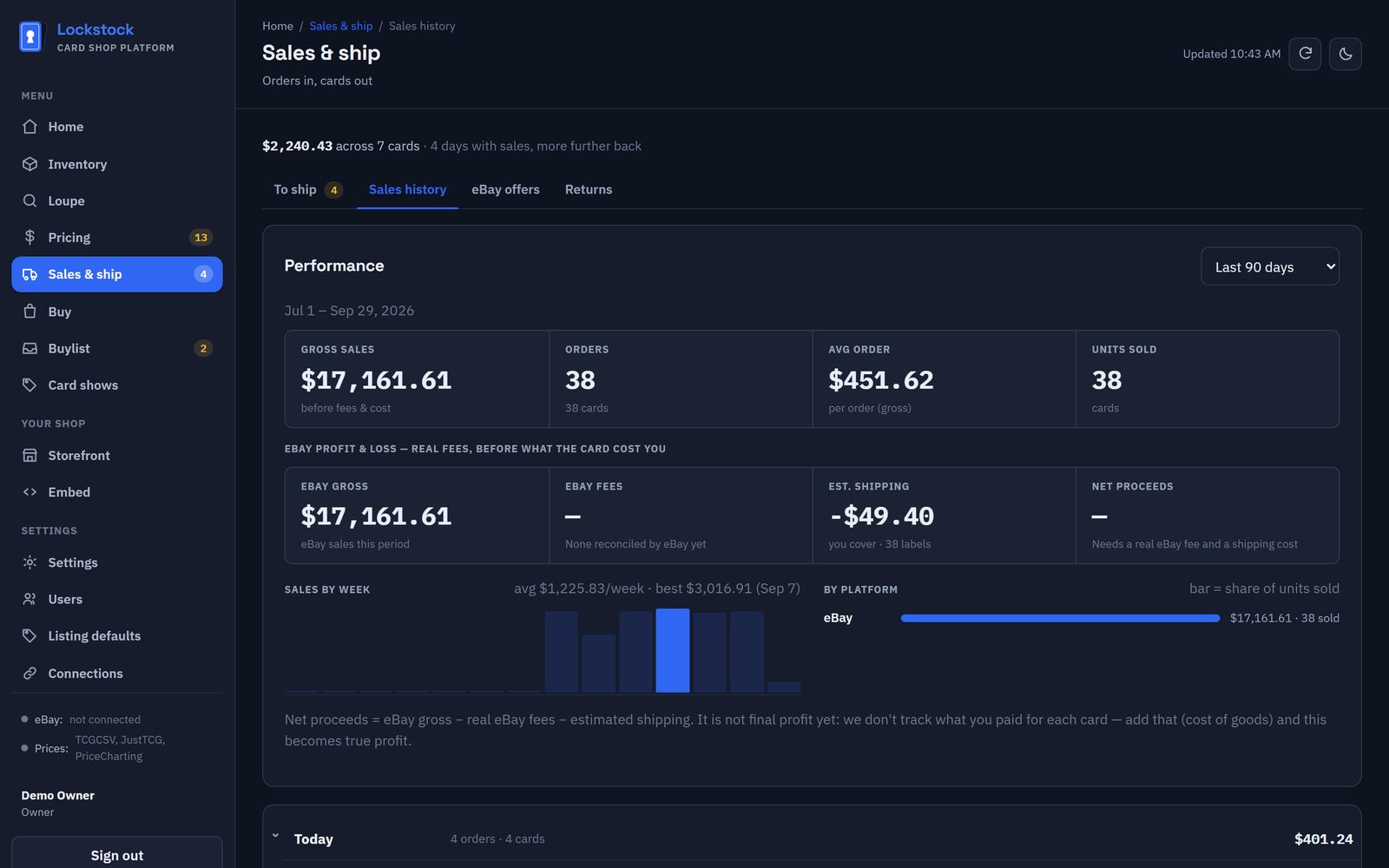
eBay orders, automatically
Orders, real fees and shipped status come in from eBay on their own.
Pull sheet & packing
Walk your boxes in shelf order, then pack one envelope per order, with packing slips.
Postage labels
Rates and labels through your own Shippo account, with tracking sent back to your website's order page.
Best Offers
Every eBay offer grouped by buyer, with how far under your price it is and what it would really leave you. Accept, counter or decline without opening eBay; sell your last copy and the other offers on it are declined for you.
Refunds and returns
Cancellations and refunds come off your numbers automatically; a card that may need restocking waits on a list until you say whether it came back.
Stamp or tracked
For website orders, mark how it went, with or without a tracking number.
Profit and loss
Gross, real eBay fees, estimated shipping and net, by week and by platform, for any date range.
Your website
A hosted shop stocked from your inventory, or your stock and buylist inside a website you already have.
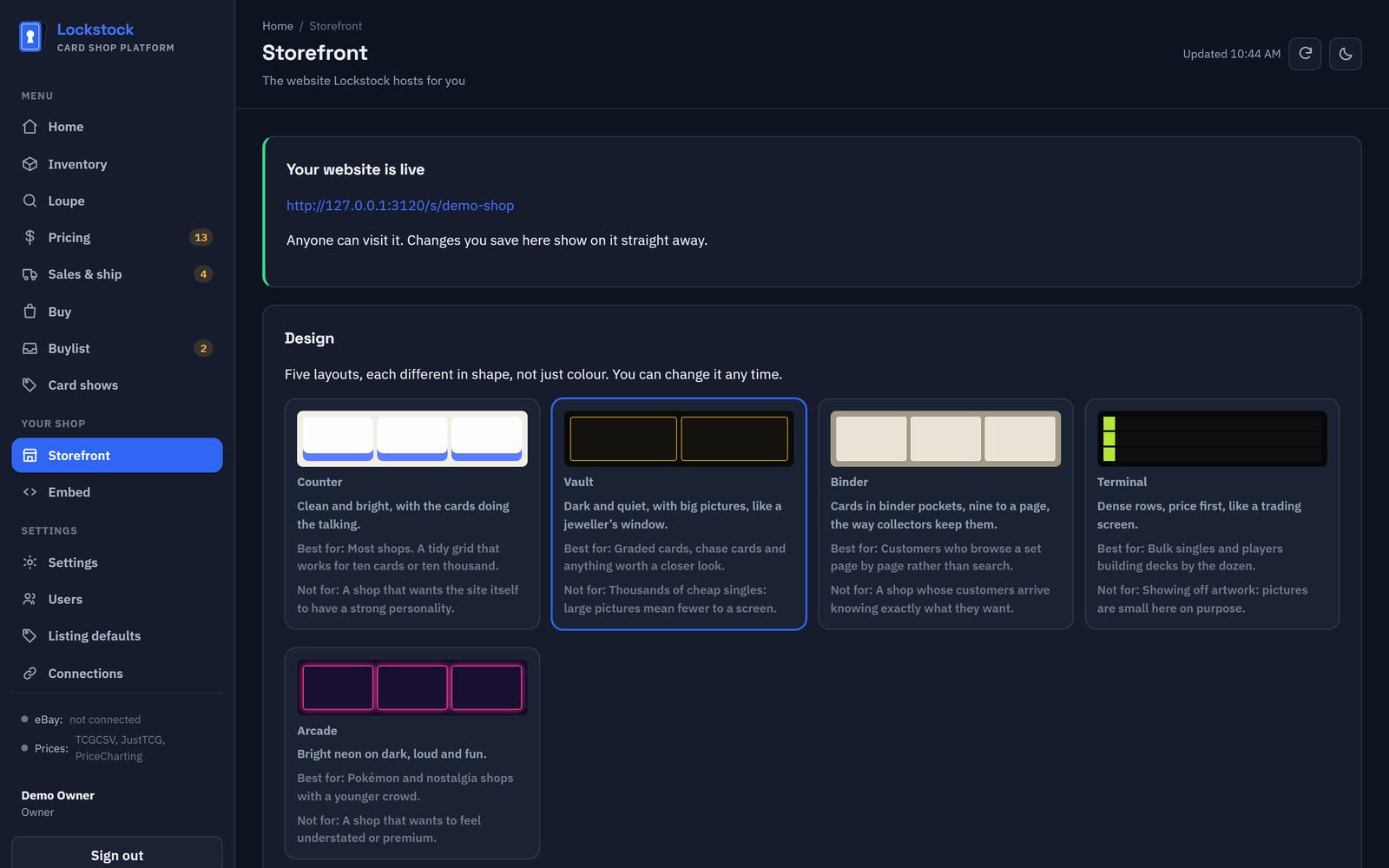
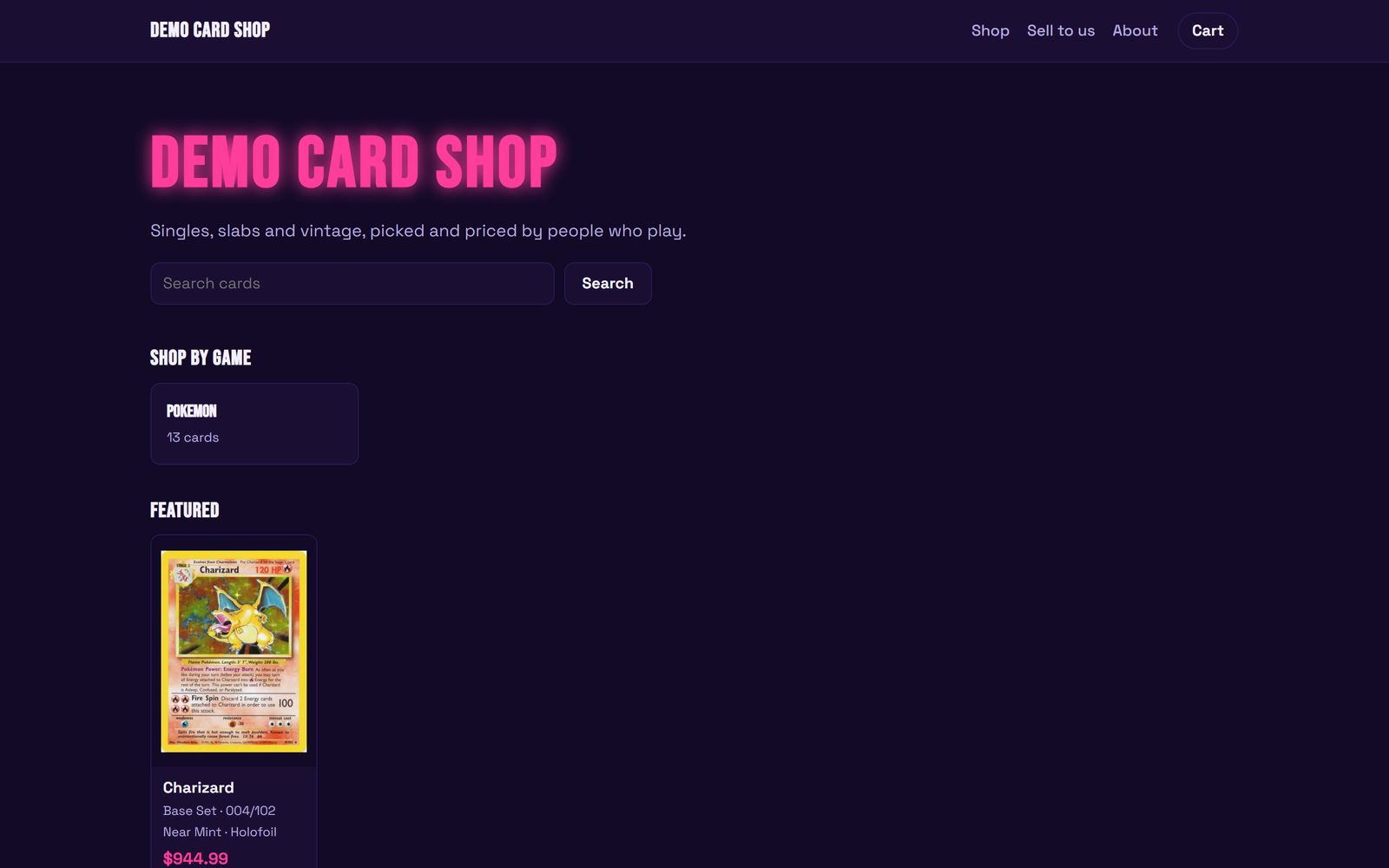
Five designs
Different layouts, not just colours. Your logo, three colours, your words, your policies.
Checkout, your money
Customers pay through your Stripe account. We take 1%, or nothing if you bring your own processor.
Bring your own site
A small script and an API put your live stock, card pages, cart and buylist into your existing website.
Your numbers
What eBay really takes, and what you can afford to pay.
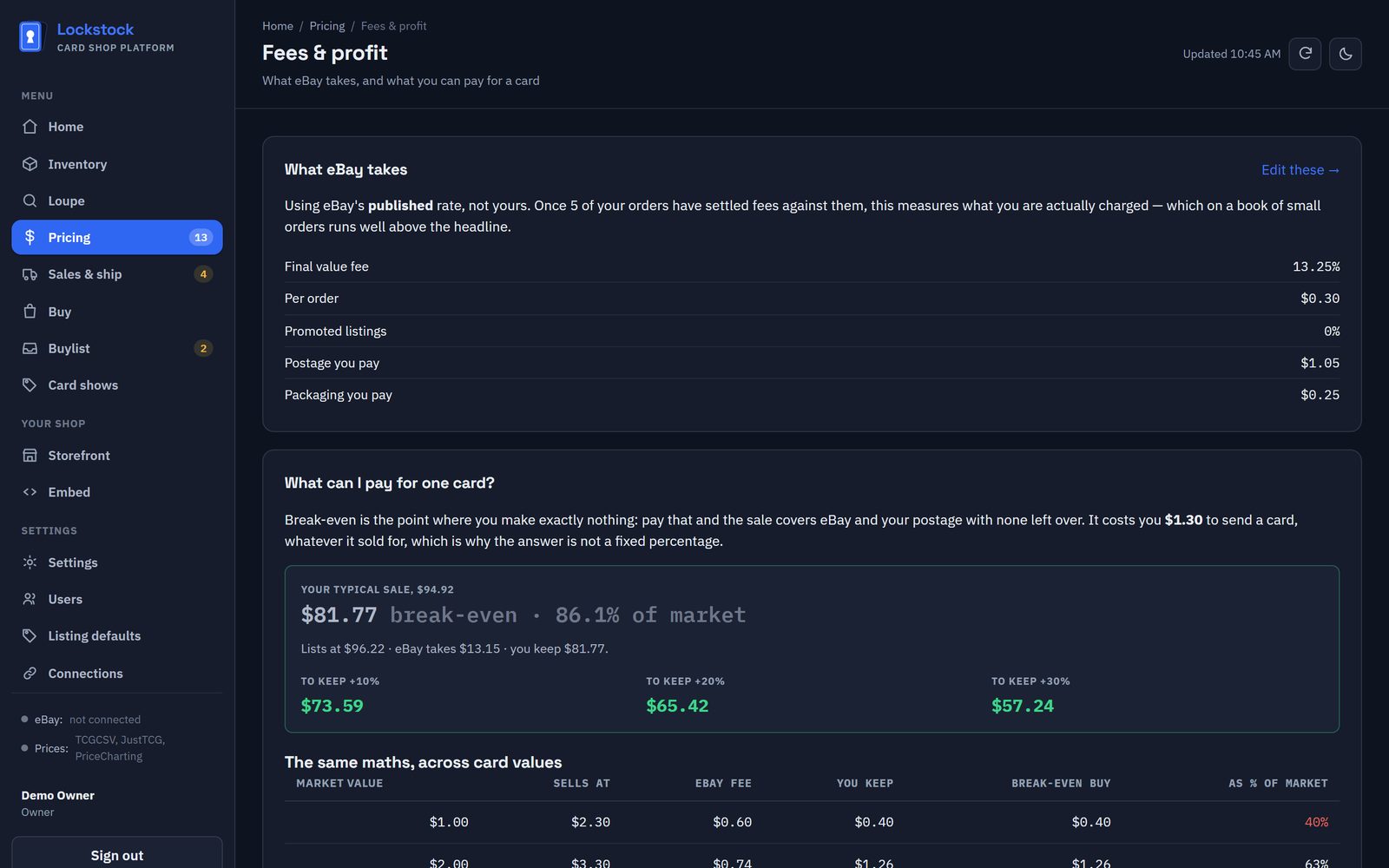
Your real fee rate
Measured from your own eBay orders, not the published headline rate.
Break-even buying
For any card value, the most you can pay and still keep what you want to keep.
Staff accounts
Add the people who work with you. Only the owner changes the shop's own settings.
Try all of it, free, during the beta.
eBay sellers, card show vendors, collection buyers, Japanese and vintage sellers, and shops big and small.
Join the beta